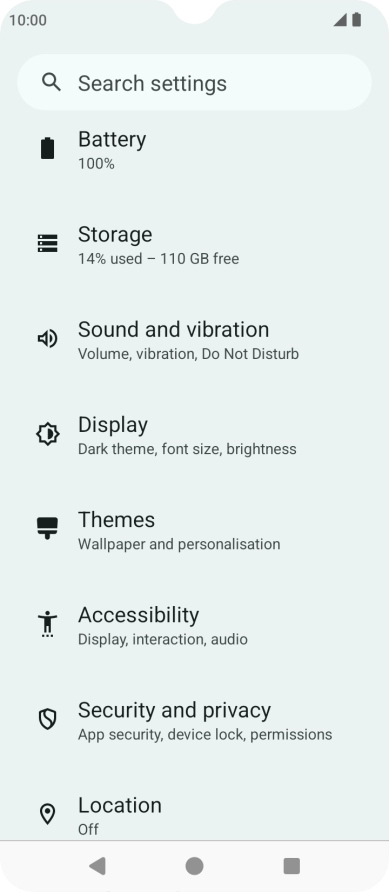
10 Android Settings You Should Check on Your Phone
Android phones come with many settings that can affect privacy, notifications, battery usage, security, and your overall experience. Some of these settings are easy to overlook after buying a new phone.
The exact names and locations can vary between Android versions and manufacturers, but these are useful areas to check on almost any Android phone.
1. Screen Lock
Start by checking your screen lock settings. A strong PIN, password, or supported biometric method can help protect your phone if someone else gets access to it.
2. App Permissions
Review which applications have access to your camera, microphone, location, contacts, photos, and other information.
If an app no longer needs a permission, consider removing it where Android allows you to do so.
3. Notification Settings
Too many notifications can make your phone distracting. Open your notification settings and turn off notifications that are unnecessary.
Keeping only useful notifications enabled can make your phone much easier to use.
4. Location Access
Review which applications can access your location and when they can access it. Depending on your Android version, you may have different options for location access.
Choose the option that makes sense for the app rather than automatically giving every application unrestricted access.
5. Battery Usage
Check the battery section to see which applications are using the most power.
If an application is consuming unusually large amounts of battery, check whether it is running unnecessarily in the background.
6. Storage
Open your storage settings and check what is taking up space. Large videos, downloads, duplicate files, and unused applications can gradually fill your phone.
Delete files you no longer need and uninstall applications that you have stopped using.
7. Automatic Updates
Keeping Android and your applications updated can provide bug fixes, new features, and security improvements.
Check your system and app update settings regularly.
8. Find Your Device
Make sure your phone has an appropriate device-finding feature enabled. This can be useful if your phone is lost or misplaced.
Also make sure you know which account is associated with your device so you can access the relevant recovery features if necessary.
9. Backup Settings
Review your backup settings and confirm that important information is being backed up.
Do not wait until your phone is lost or damaged to discover that an important file was never backed up.
10. Security Settings
Check your phone's security section for available protection features. Depending on the device, this may include security updates, app scanning, device protection, and other options.
Final Thoughts
You do not need to change every Android setting you find. The goal is simply to understand the important settings and choose options that match your needs.
Spend a few minutes reviewing these areas after setting up a new phone. It can make your device more secure, organized, and comfortable to use.
Comments
Post a Comment